
Data decay is the gradual deterioration of B2B database quality due to outdated, incomplete, or inaccurate records. B2B data decays at 2.1% per month, and invalid data costs U.S. companies $3.1 trillion yearly. Fight it with 7 strategies: maintain CRM hygiene, verify emails, use confirmed opt-ins, develop a data hygiene plan, request customer updates, back up datasets, and outsource to data partners.
Last Refreshed: March 2026 with updated statistics and tool information.
Data decay is the gradual degradation of database quality caused by outdated, incomplete, or inaccurate contact information — and it costs U.S. B2B companies $3.1 trillion per year in wasted resources and lost revenue. As the digital future of B2B sales continues to evolve, so does the role of data. According to the Global Data Management Report, 72% of business leaders say that the rapid push toward digital transformation has made companies more reliant than ever on data when making key business decisions. At the same time, 55% of respondents say they lack trust in their data assets, and they estimate that 32% of their data is inaccurate.
From Daniel Conn, GTM Strategist, graph8: “Most teams think they have a prospecting problem when they actually have a data problem. The best sequences in the world go nowhere when contacts are stale. Data hygiene isn’t a clean-up task — it’s a permanent campaign requirement that has to be baked into your GTM motion from day one.” To fulfill the greater demand for data-driven decisions, B2B companies must continuously refresh and properly maintain data assets to prevent data decay. However, even today, an overwhelming number of companies do not have the capacity to secure their data hygiene, causing serious damage to their businesses.
Using incorrect data can lead to wasting team resources in vain, losing credibility and clients, and therefore, closing fewer deals and generating lower revenue. In the U.S. alone, invalid data contributes to $3.1 trillion total financial losses for B2B companies yearly.
To safely transition to the data age and keep up with the massive amount of information available out there, businesses need to learn how to maintain data quality and stop rapid data decay, which is often the reason behind many business problems.
What Is Data Decay?
Data decay refers to a process when the quality of your B2B database deteriorates with time due to containing inaccurate, incomplete, or outdated information. Unfortunately, data decay is unavoidable, especially when using static data in sales. To keep your data up to the minute, it needs constant nurturing and monitoring. This requires both financial and time resources from your team.
What Causes Data Decay?
Data decay may occur for a variety of reasons: software malfunctions, human errors, or the inability to keep up with the flow of constantly growing information. On average, B2B data decays at a rate of 2.1% per month. Your company’s data decay rate may be affected by several factors, including the industry you are working in (high-tech is particularly vulnerable), the customer type you are targeting, the location where you operate, etc.
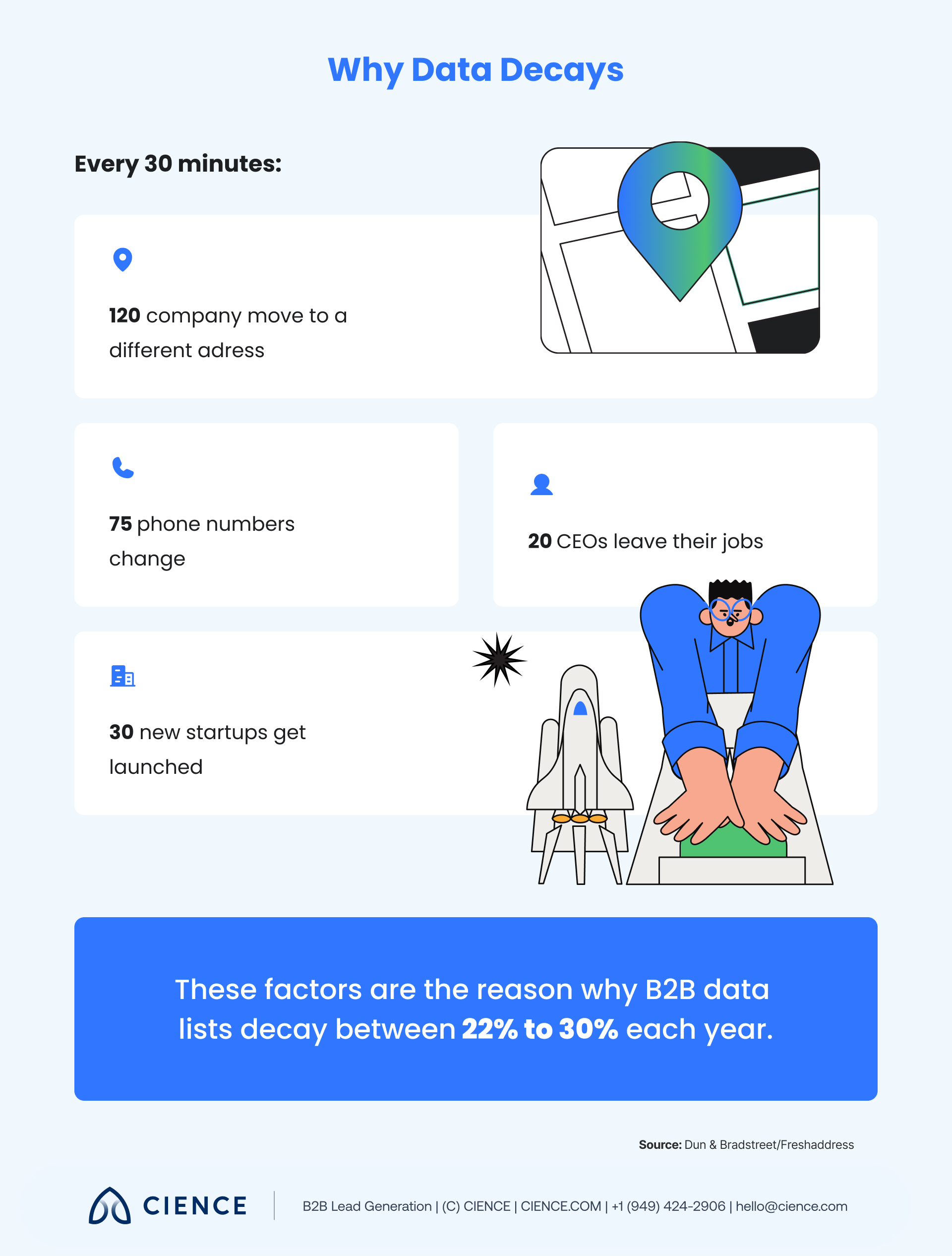
There are also other causes behind unpredictable data decay rates. According to Dun & Bradstreet, every half hour, 120 company addresses and 75 phone numbers change, 20 CEOs leave their jobs, and 30 new start-ups get launched. Imagine changing this datapoint manually every thirty minutes of your workday.
Countless pieces of information like changed names, job titles, contact numbers, email addresses, etc. are affecting your database daily. It may seem impossible to track all the erratic changes and secure the quality of your data, but the good news is that there is a lot you can do to prevent data decay.
7 Ways to Fight Data Decay in B2B Sales
Data decay is a continuous process that requires a lot of effort to stop. However, there are ways to reduce its speed. Here are seven best tips to help you keep your data optimized and updated:
1. Maintain the effectiveness of your CRM software.
Customer relationship management (CRM) tools are the best source of relevant information for building up and maintaining your dataset. They store all the interactions with all the leads, prospects, and clients you ever contacted and save your sales and marketing teams’ time by monitoring and analyzing the sales pipeline. They also organize automating email send-outs.
All these perks of using CRMs make them one of the most effective ways to optimize your data and keep constant control over your sales activities. However, to deploy a CRM system in your company effectively and avoid data decay, make sure to follow these three rules:
- Integrate your CRM system with other data solutions: Make sure both marketing and sales use one system to collect data and align all the data sources into one space to collect as much input as possible.
- Conduct CRM data checks: Make sure your data is validated when it’s captured in your CRM and use firewall services to ensure its accuracy.
- Segment the key data into categories: If you have multiple ideal customer profiles (ICPs), work for several markets, or sell a variety of products, segregating the data by categories can help you optimize the selling cycle and maintain data quality more efficiently.
2. Use email verification tools to validate emails.
Email is the top prospecting channel with 87% of B2B marketers using it for outreach. At the same time, email marketing databases naturally degrade by about 22.5% every year, resulting in increased email bounce rates and decreased conversions.
A high email bounce rate is a direct sign that your data needs updating to secure a stable email deliverability rate. Otherwise, what is the point of having long lead lists if your emails never reach their mailboxes?
One of the most effective ways to overcome this challenge and clean up your list from invalid and inactive email addresses is to use email verification tools. Through performing several check-ups, these tools ensure that the recipient’s email is valid and your message can be delivered safely. Besides that, they also check the domain name, the server, and the email address to avoid any technical complications and spam folders.
3. Have a confirmed opt-in.
Another way of fighting email data decay is to implement opt-in confirmation. It is used to ensure that your subscribers have completed the registration by inserting the correct email address. Once a new user fills up their information, they will receive a confirmation email to finalize the process of signing up with the accurate data.
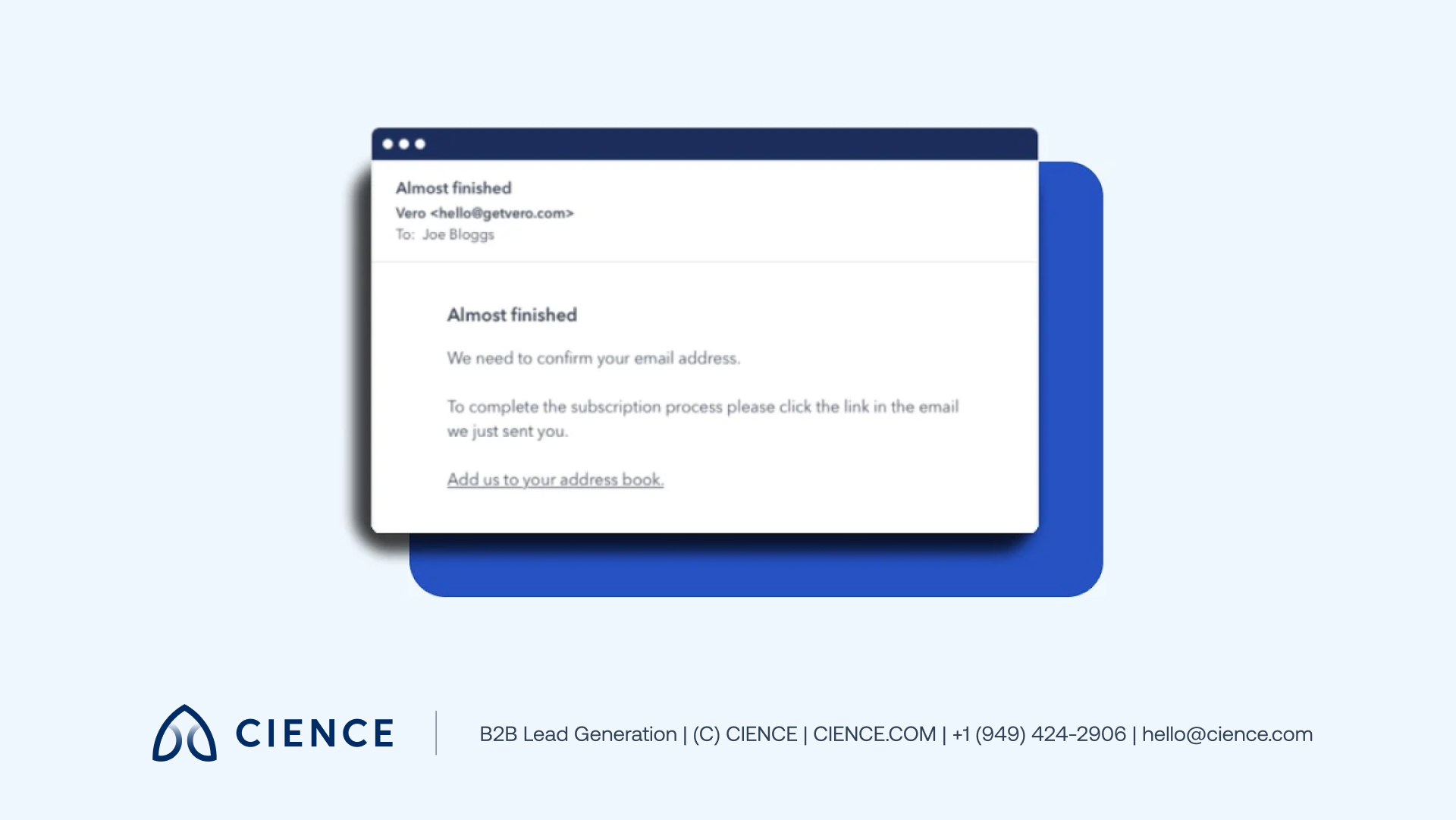
This small feature helps to avoid incorrectly inserted data and welcomes only those subscribers who are purposely following your website’s news list.
4. Develop a data hygiene strategy.
Adding regular data hygiene checks as a part of a routine is the most obvious way to keep your database fresh and updated. This process includes:
- Checking existing data for updates
- Deleting contact duplicates
- Verifying new contacts
- Filling in the missing information
All these things can be done automatically with dynamic data tools that are able to update your dataset in real-time, avoiding manual checks.
Even though data hygiene checks are usually assigned to a certain department (sales, marketing, IT), make sure that everyone in the organization is aware of data hygiene practices. Collaboration within the teams contributes to fighting data decay significantly and helps build up a data-driven culture within the company.
5. Ask customers to update data.
While your clients’ information may change from time to time, it does not necessarily mean they will update it. Sometimes they need a little nudge. There are a few ways you can ask them to update their info:
- Use automated email reminders. Some companies choose automated email send-out reminders asking clients to update or complete information. Others use pop-ups reminders on the website requesting to customize the profile.
- Spark interest with interactive content. Using engaging marketing content is another great way to stay in touch with the audience. It helps collect the necessary input and keep your clients informed about the latest company news.
- Engage customers with quizzes or polls. Touch on the current issues to help you collect not only basic information but also learn the tendencies, needs, and ambitions of clients. Based on that, you can build an effective strategy to attract new and keep current clients.
Updated information will be collected and stored in your CRM automatically. Apart from that, sending relevant and useful content about the brand regularly will build deeper relationships with clients and make your communication easier.
6. Back up your dataset.
Data decay may also occur because of hardware devices malfunctioning. The consequences of a heavily damaged dataset are critical: A shocking 94% of companies suffering from a massive data loss never get back to work.
To reduce the risk of lost input and ensure disaster recovery, make sure to safely store your data in the cloud just as you usually do with valuable files on your phone and laptop. Cloud storage is the most secure and effective way of data backup, and depending on your needs and requirements, you can choose from different types of cloud storage. However, do not forget to secure your data access and protect it from possible cyberattacks from the outside.
7. Outsource data solutions to third parties.
Data-driven solutions are the future of B2B sales. Backed with correct data, your team can achieve better results at a lower price, improve customer loyalty, save resources, and make smarter strategic decisions based on powerful insights. However, data isn’t an easy thing to gather and maintain.
In case you decide to use first-party data, be ready to overcome all the challenges to build a high-quality dataset. In case you don’t have the capacity and resources to dedicate to developing data solutions on your own, you can outsource this task to trusted companies that can handle it for you. You can get access to cutting-edge, strategic, and personalized data according to your company’s ICP in a matter of minutes.
“The data CIENCE provided was clean, structured, and immediately actionable — better than anything we’d built internally in the same timeframe.” — Okta (1M+ contact records enriched)
Bad data doesn’t just waste budget — it trains your team to accept poor results as normal. Clean intelligence changes everything.
Avoid Data Decay in B2B Sales
B2B companies firmly rely on accurate databases to optimize sales and marketing performance. High-quality data can give you a deeper understanding of your current and potential clients, allowing sales teams to create accurate lead lists to reach their target audience and build stronger connections with prospects.
To use your data-driven strategy to the fullest, make sure to use only relevant and updated input. Data decay can cause huge damage if it is not prevented in time. Remember that it is your responsibility to make sure your team is using only high-quality datasets, gathered by reliable sources.
CIENCE has helped 2,500+ clients across 250+ industries — from enterprise SaaS to biotech — build and maintain the clean data foundations that make outbound work. Rated 4.6/5 on Capterra. Explore B2B data solutions →
“We’ve worked with CIENCE for over a year. They consistently find good leads for us and expertly schedule demos.” — Sarah Allen-Short
CIENCE + graph8 pricing: $5,000 one-time GTM system setup, $2,499/mo strategic execution, and the graph8 platform at $499/mo. No long-term contracts. See full pricing →
Whether or not you decide to work with us, you’ll walk away with a clear picture of where your pipeline is leaking and what it would take to fix it.
Frequently Asked Questions
How fast does B2B data decay?
B2B data decays at an average rate of 2.1% per month, according to HubSpot. That means roughly 25% of your database becomes inaccurate within a year. Email marketing databases specifically degrade by about 22.5% annually, making regular verification essential for maintaining deliverability.
What is the biggest cause of data decay?
The primary cause is natural change in the business world. According to Dun & Bradstreet, every 30 minutes, 120 company addresses change, 75 phone numbers are updated, 20 CEOs leave their jobs, and 30 new startups launch. Human error during data entry and software malfunctions are secondary contributors.
How much does bad data cost a business?
Invalid data costs U.S. businesses a combined $3.1 trillion per year according to Harvard Business Review. At an individual company level, 55% of business leaders say they lack trust in their data assets, and 94% of companies that suffer massive data loss never recover. Regular data hygiene is far cheaper than the consequences of decay.

A graph8 company — AI-powered GTM execution across 250+ B2B industries.
graph8 Platform
From $499/mo
Run your own GTM campaigns with AI-powered data, sequences, and analytics.
Start Free — 2,500 Credits No credit card requiredCIENCE Managed
From $2,499/mo
Our GTM teams build and run your outbound campaigns end-to-end.
15-min call · No commitment2,500+ B2B companies served · Month-to-month contracts · See full pricing →