
LinkedIn prospecting is the process of using LinkedIn's 750M+ user base to identify, connect with, and convert B2B decision-makers into sales conversations. The platform drives 80% of all B2B lead traffic and delivers 3x higher conversion rates than other ad platforms. The most effective approach is a 3-wave outreach sequence: connect, build interest, and be persistent with personalized messaging.
Last Refreshed: March 2026 with updated statistics and tool information.
LinkedIn prospecting is a B2B sales strategy that leverages LinkedIn’s 750M+ professional user base to identify, connect with, and convert decision-makers through targeted outreach sequences. By 2026, ad spending in the social media advertising segment is projected to reach $252,569,000,000 worldwide, which is equal to the GDP of a small country like the Cook Islands, for example. LinkedIn has become an absolute leader among other social media platforms with 80% of B2B marketers investing in it. However, channeling large budgets into social media does not necessarily come with increased conversions.
From Daniel Conn, GTM Strategist, graph8: “Most LinkedIn prospecting fails before the first message is sent. Teams build lists by job title and hit send — but without filtering for account activity, recent signals, and true decision-making authority, you’re generating noise, not pipeline. The difference between a 2% and a 15% acceptance rate almost always comes down to targeting discipline, not copy.”
Choosing a proper outreach strategy, creating convincing sales scripts, and developing a deep knowledge of the platform’s prospecting ins and outs is what matters the most. This article is dedicated to an in-depth exploration of LinkedIn prospecting specifics and offers insightful tips from the best CIENCE experts.
What Is LinkedIn Used For?
LinkedIn is a social media platform created in 2003 to help professionals all over the world to connect, build business relationships, and exchange information. For many years, this platform was used for exclusively recruiting reasons, where companies were hunting new talents and professionals were searching for new job opportunities.
LinkedIn contains a high number of data points on each user profile, such as their job experience, education, skills, business aspirations and plans, personal interests, and recent achievements. This information is extremely valuable when planning marketing and sales outreach, which makes LinkedIn a top platform for B2B prospecting.
Why Choose LinkedIn for Prospecting?
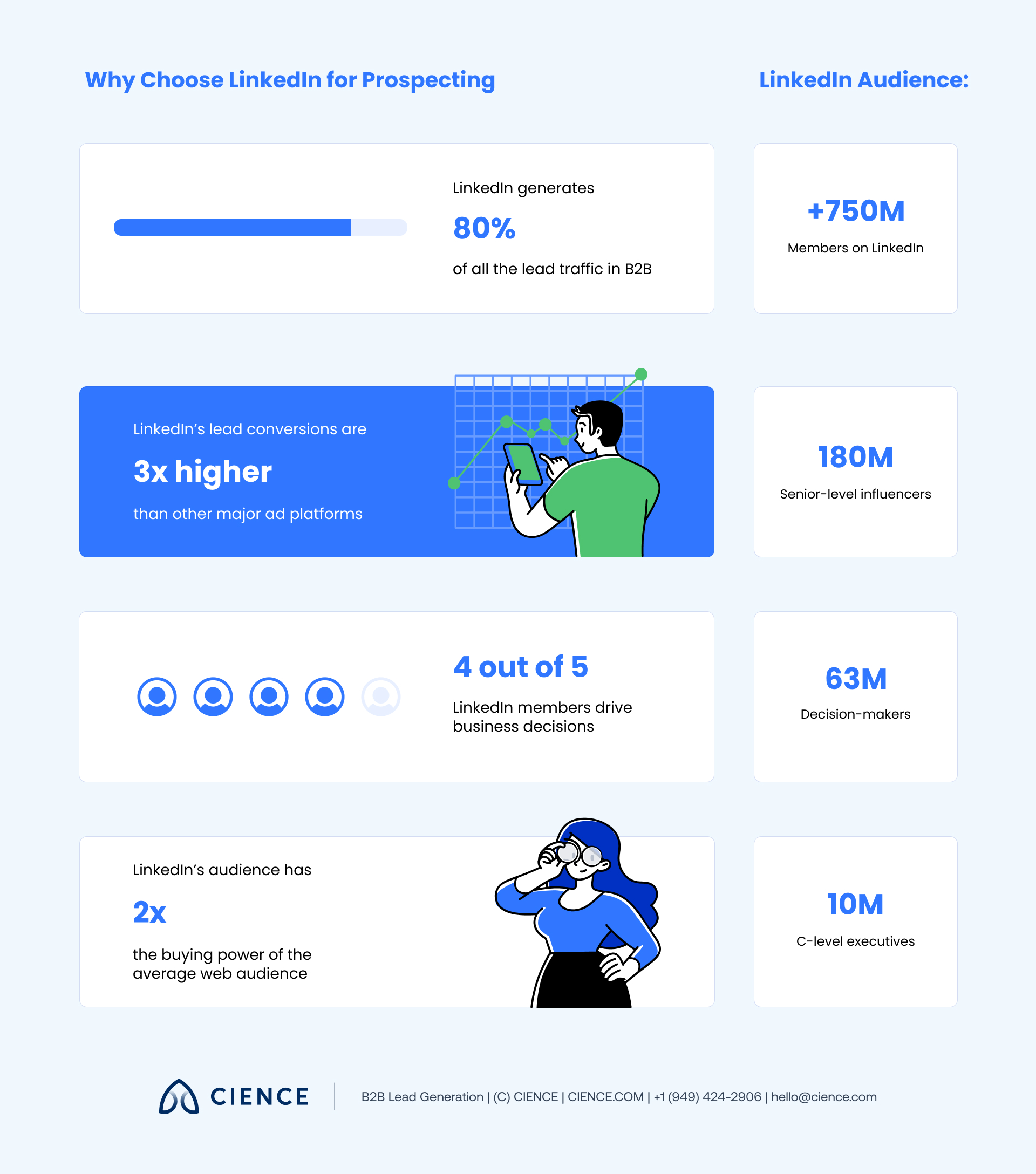
There are a number of reasons to use LinkedIn as a B2B prospecting platform according to these statistics:
- There are over 750 million active users on LinkedIn, 180 million of which are from the U.S.
- LinkedIn has a high-quality audience, with four out of five users driving decision-making processes in their companies. More precisely, there are 180 million senior-level influencers, 63 million decision-makers, and 10 million C-level executives among LinkedIn users. Their average buying power is two times higher than any other average web audience. The platform gives direct access to millions of decision-makers from millions of different companies through one “Connect” button click.
- LinkedIn is responsible for 80% of all the lead traffic in B2B and their lead conversions are three times higher than any other large ad platform.
- LinkedIn consistently ranks as the most trusted social media platform for B2B professionals, with decision-makers actively using the platform to evaluate vendors and discover solutions.
LinkedIn’s user base, revenue, and session engagement continue to grow year over year. The platform’s business potential is only expanding, and B2B companies that develop systematic prospecting workflows on LinkedIn build durable pipeline advantages over those that treat it as a secondary channel.
How to Find Prospects on LinkedIn
LinkedIn prospecting has a certain cadence each salesperson needs to follow. Here is what you need to do before sending the first message of the outreach campaign:
1. Define your ideal customer profile (ICP).
The same as any other channel, the most successful outreach campaign on LinkedIn starts with well-done research on your potential clients. You need to identify who, when, and where to target to achieve the best results. By collecting data on the key elements of your ICP, such as company size, geography, industry, prospect’s title, and job responsibilities, you ensure to make your LinkedIn outreach more efficient and less time-consuming.
2. Optimize your LinkedIn profile.
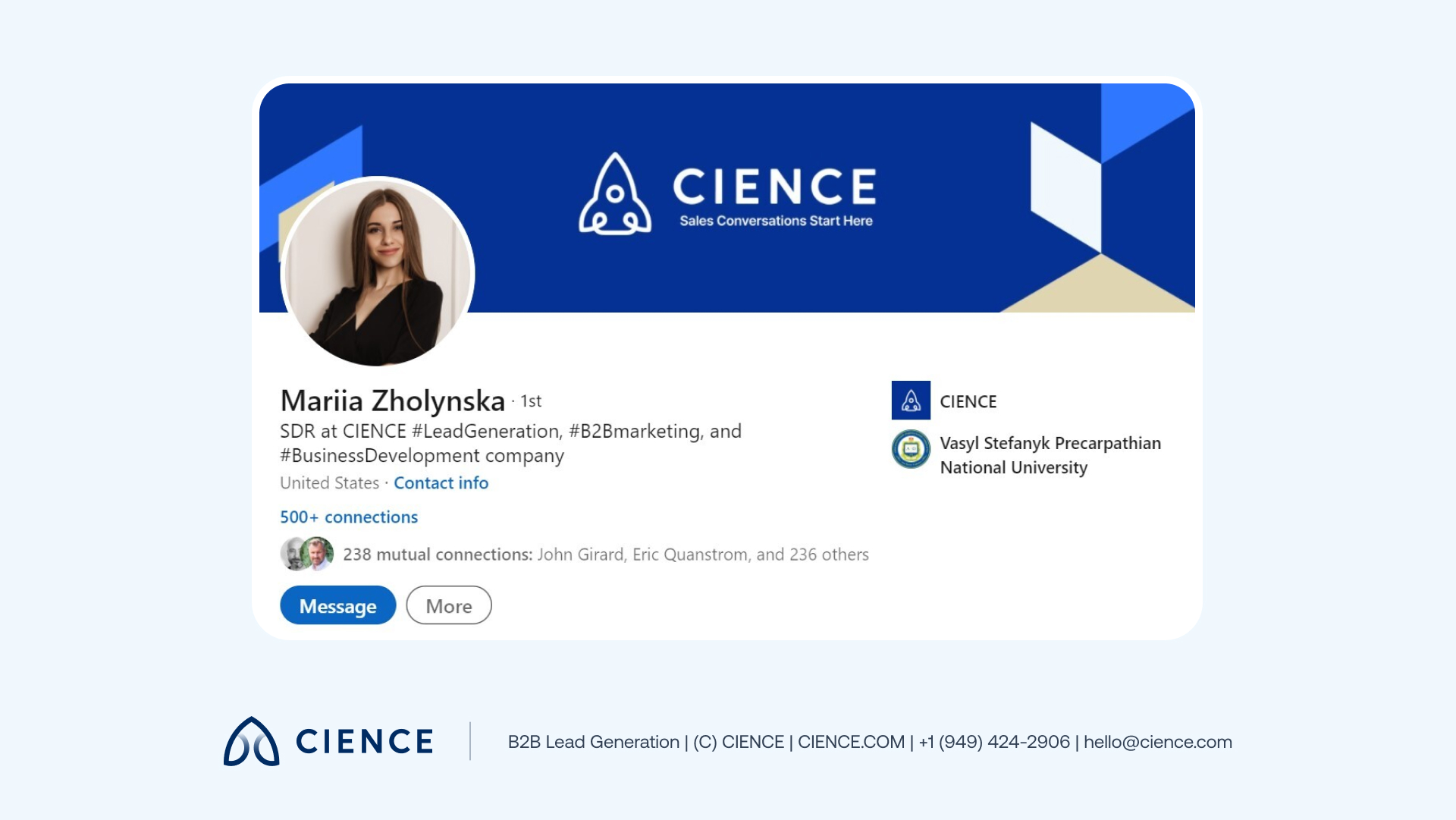
Your personal LinkedIn profile is like a landing page for your website: It has to be professional, relevant for your ICP, and reflect what your company has to offer. A nice sales development representative (SDR) profile includes a short title in a few words, a professional headshot, a cover photo with company logo, and a completely filled up profile, including the about section, job experience, education, etc.
Just as you want to know everything about your prospect, they want to know everything about you. Filling up your profile increases your credibility and therefore improves your chances to get a reply.
3. Search, filter, and connect with Sales Navigator.
Sales Navigator is a LinkedIn outreach tool that helps to simplify the research process, target high-quality leads more accurately, and therefore increase engagement with prospects. This tool allows you to sort prospects by a huge number of criteria without even opening their profiles: their company industry, headcount, seniority level, account activity, title, etc. After collecting all the necessary data, it can be easily transferred to your CRM system for future campaigns.
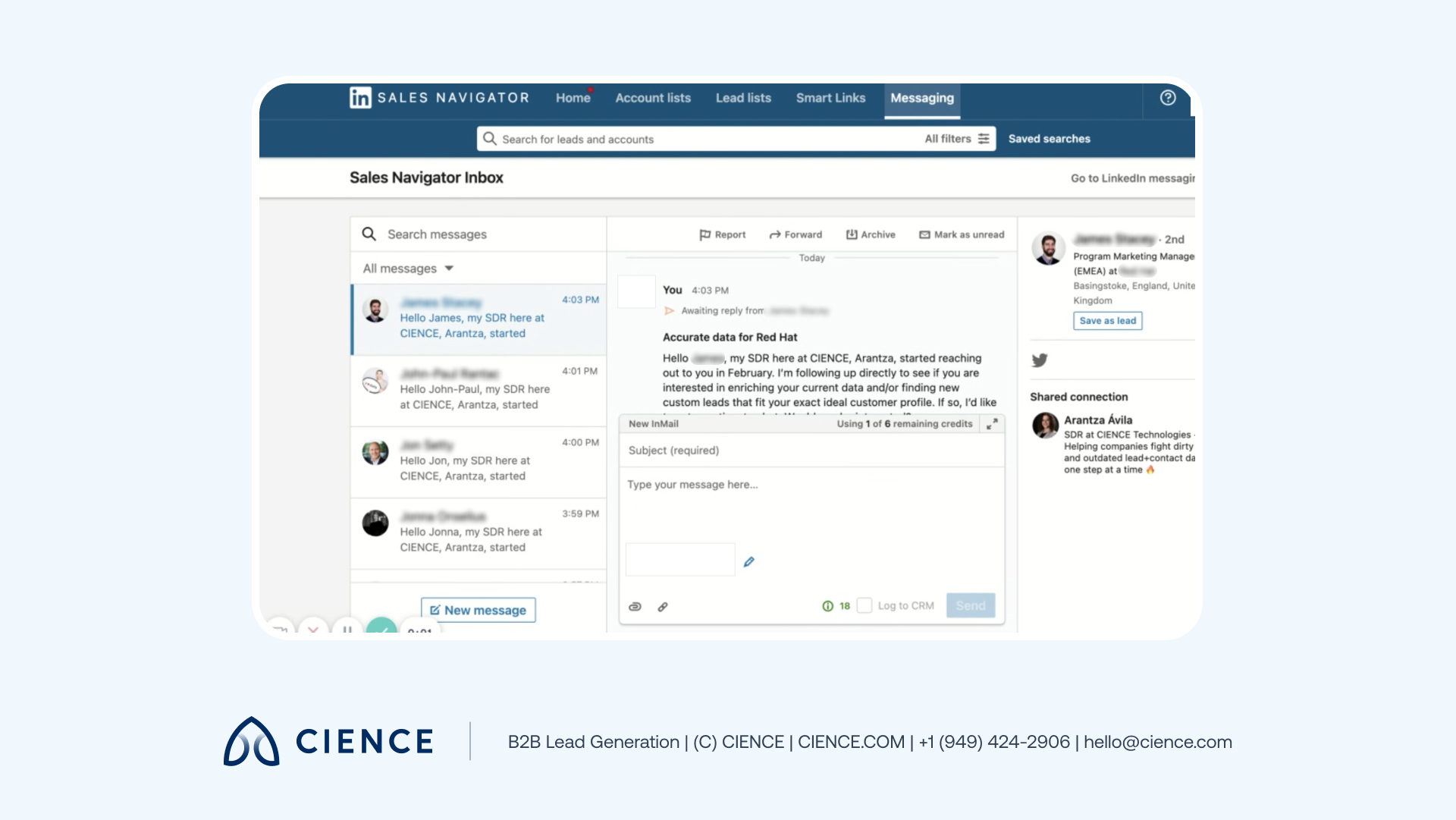
From the inside, Sales Navigator looks like a simple inbox where you can send multiple messages to prospects without previously contacting them. Besides that, it allows you to see information about the prospect or company not available without this tool. Sales Navigator makes LinkedIn prospecting much easier as it also helps you avoid the ban for checking “too many profiles” during the research. With Sales Navigator, you can view as many profiles as you need and create more opportunities.
4. Make use of other LinkedIn tools.
Sales Navigator isn’t the only tool LinkedIn offers to improve your prospecting process. Here are just a few other tools you should pay attention to:
- Marketing Solutions: This tool allows you to create ads that will be displayed to LinkedIn users.
- Learning Solutions: This learning resource offers educational content according to your professional interests to help improve your performance and gain new skills.
- LinkedIn Groups: This free tool helps you discover new information and expand your knowledge in different spheres.
Ranking is only half the equation. If your content attracts traffic but doesn’t convert, you’re building a library, not a pipeline.
How to Create Effective Message Templates for LinkedIn
After establishing a proper LinkedIn prospecting cadence, you’ll want to create persuasive sales message templates for your outreach campaign. One of the most successful strategies used at CIENCE is the three-wave approach:
Wave 1: Connect.
The very first LinkedIn outreach message you send to the prospect has to be simply constructed and state a reason for why you want to have a conversation. It’s crucial at this stage to focus exclusively on the prospect’s profile (not the company), figure out how you can connect with them personally, and address something they might be interested in.
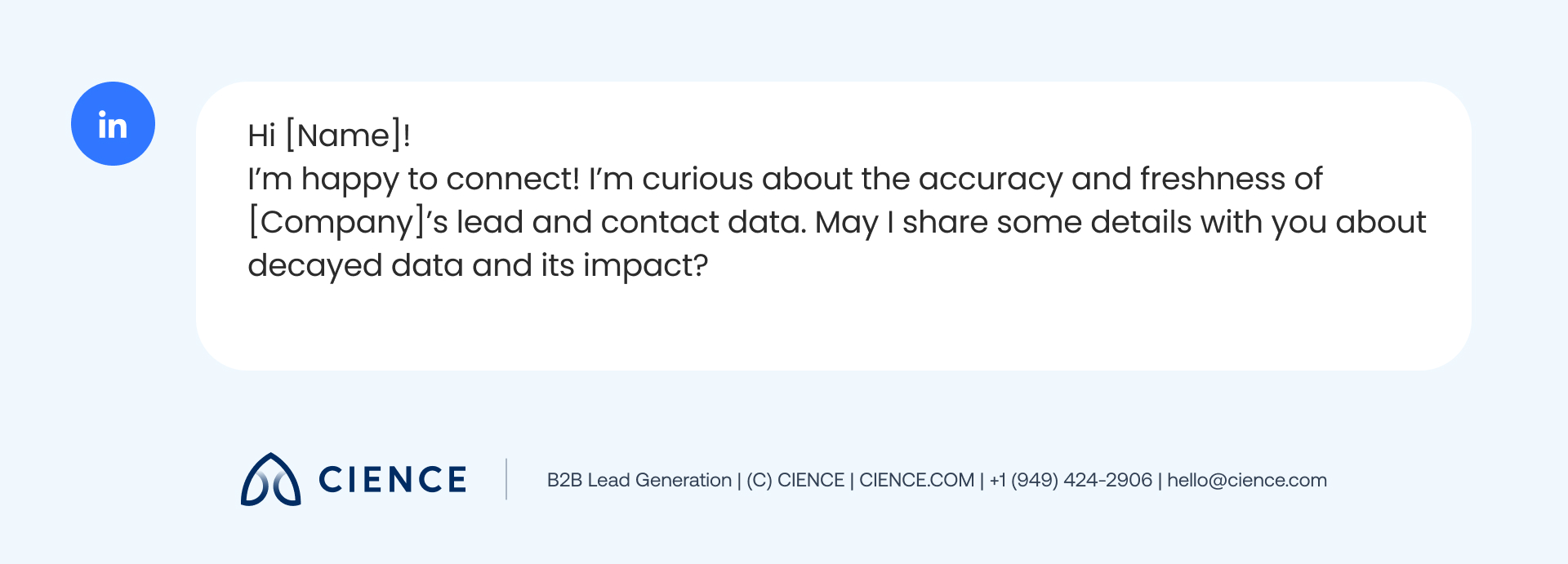
Your first message should show that you value your prospect’s opinion and are interested in hearing about it, but at the same time demonstrate what you have to offer. Here is a good example of the first-wave LinkedIn prospecting template:
Of course, you can have a different approach here and make your LinkedIn prospecting scripts more personal and less formal, like in this example:
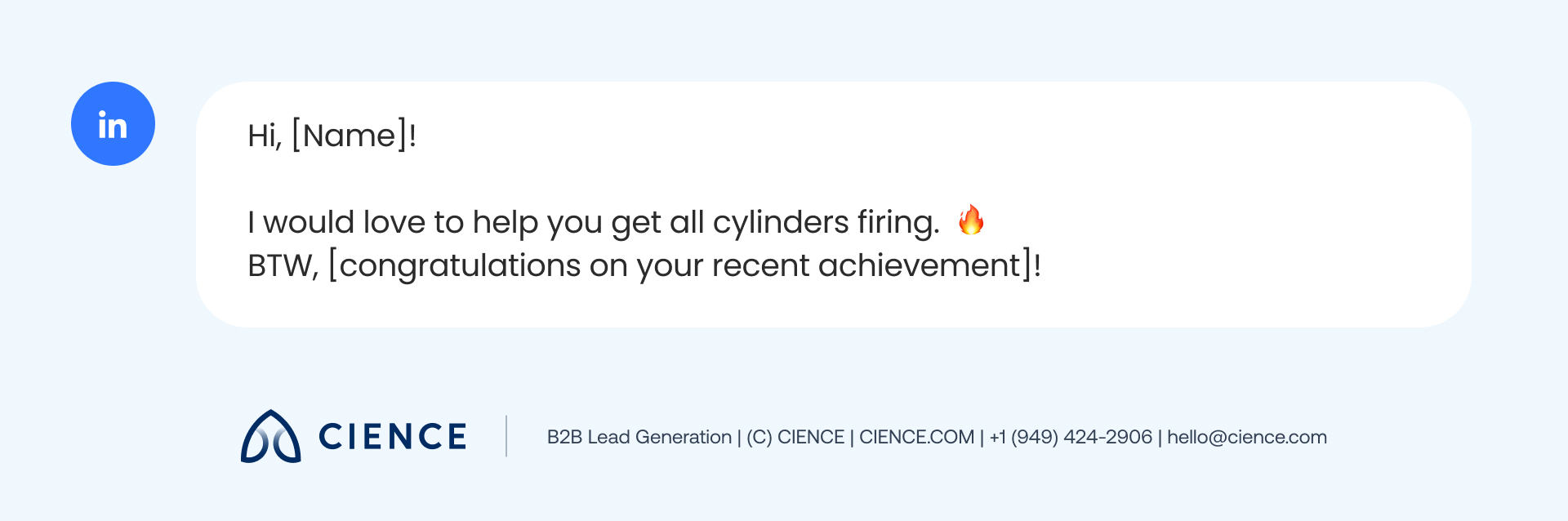
Don’t be afraid to be more creative, add emojis, GIFs, make jokes, and just behave like a normal human being. Sure, you need to follow the template, but it’s also your job to make the prospect feel like it’s just another ordinary conversation.
Wave 2: Build interest.
Depending on whether you received a reply to your previous message, you should contact your prospect the second time. Ideally, the second-wave LinkedIn outreach template has to be sent within three days after the first contact. However, if the workload is too intense, you can do it later too, even within the next month.
Your second message has to include a good hook that will provoke the prospect to have a longer business chat with you. At this stage, you need to use personalization about the company and focus on the company’s needs instead of the prospect’s profile. Here is an example of a LinkedIn outreach template after the prospect didn’t answer the first-wave message:
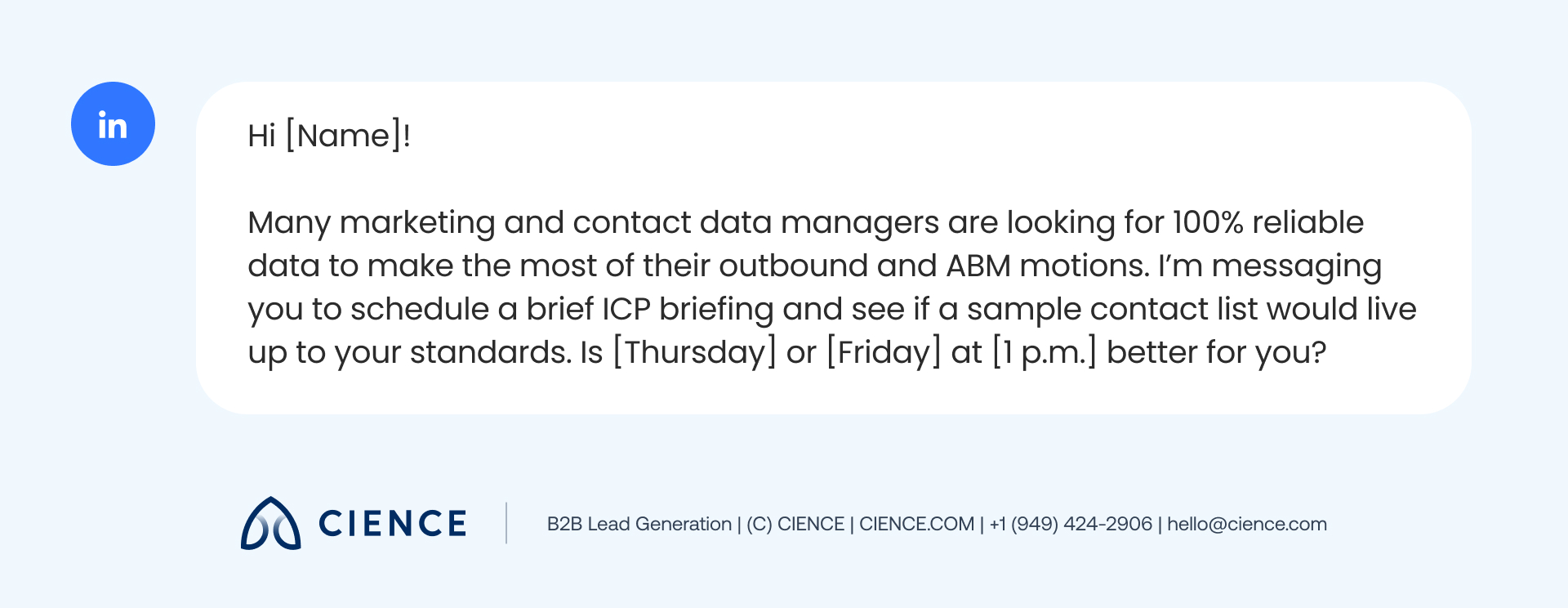
Alternatively, in case you received a reply, your template could look like this:
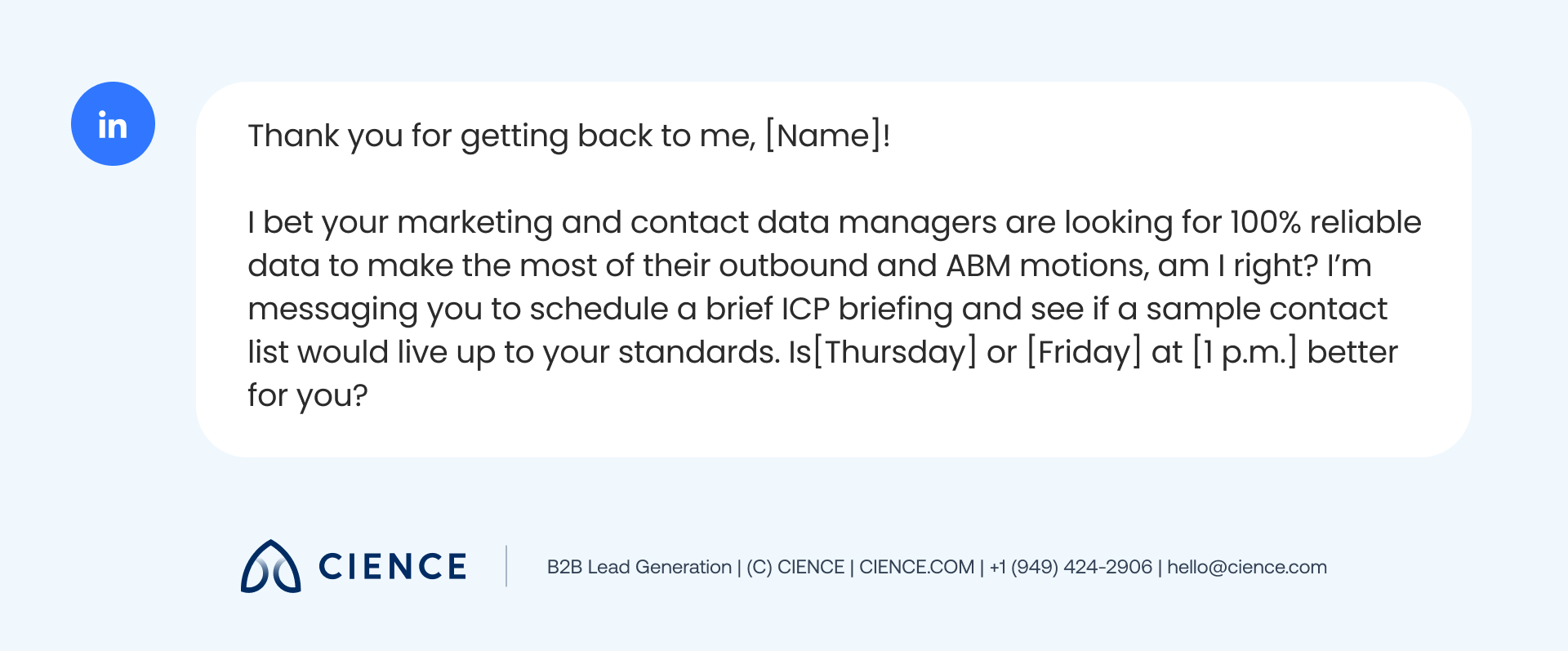
Wave 3: Be persistent.
In case your first and second messages are not answered, you can still convince the prospect you are worth their time. Very often, prospects’ LinkedIn inboxes are drowning in poorly constructed sales message templates with little value. Your job is to make them feel that you are fully engaged in the conversation, that you are not cold selling but genuinely interested in finding solutions to their challenges. During the third wave, use some humor to mitigate the tone of the conversation and then move to the pain point:
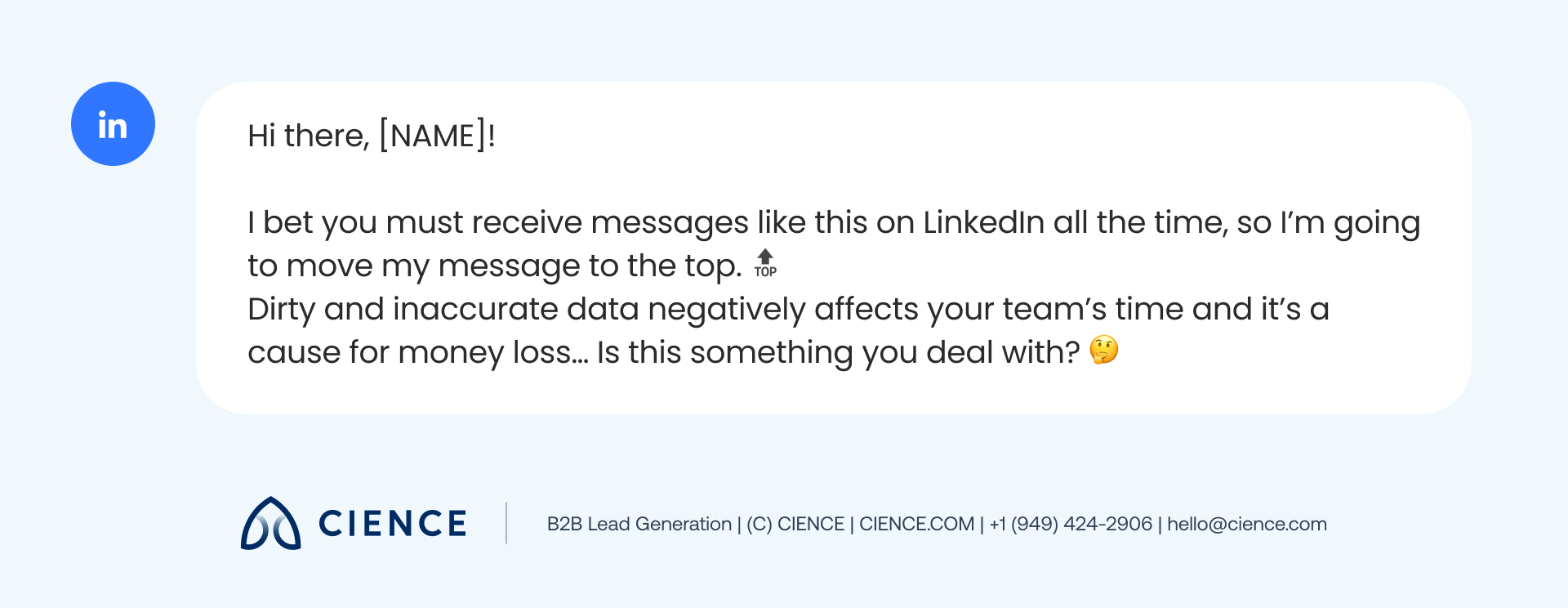
Your outreach templates are only as good as your targeting. If the right people aren’t seeing your messages, no script will save the campaign.
Talk to a LinkedIn Outreach Specialist →
7 Best Linkedin Prospecting Tips
There are many other essential things to know about LinkedIn prospecting before, during, and after the message templates are sent. Here are seven pro tips from the CIENCE team to help you maximize the results from your next LinkedIn outreach strategy:
1. Adapt your template according to the present needs.
The LinkedIn outreach templates offered above are just examples of how your dialogue could go. Depending on the prospect’s answers and the tone of the conversation, you need to adjust your templates according to the situation. Your final message can be very different from what was initially offered in the script.
For example, Arantza Ávila from the CIENCE CORE department told this story: “Once, I had a prospect from Prezi connect with me, so I took advantage of that and crafted a Prezi presentation for her. She really liked it.” As you see, creative personalization is especially appreciated in LinkedIn outreach.
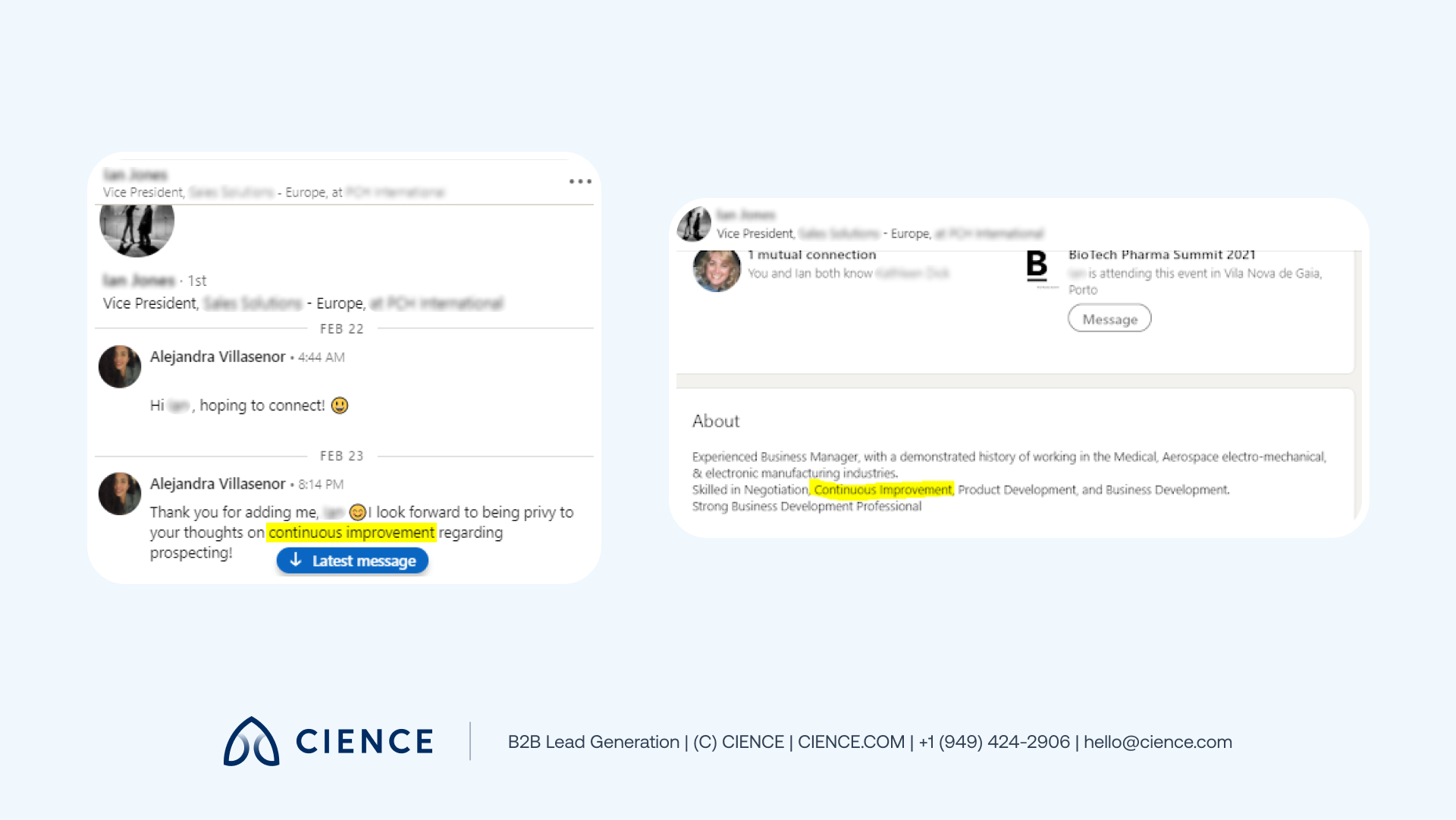
2. Focus on the About section for personalization.
The company’s About section is the most obvious, but at the same time, the most helpful part of the company’s profile for personalization. In just a few sentences, it states the precise information what this business is all about, what their product is, and what industry they belong to.
Alejandra Villasenor, CORE Team Lead at CIENCE, who stands behind the three-wave LinkedIn prospecting methodology, shared this tip for first-wave personalization: “I combine what they do with what we do, and it gives me the most appointments.” Here’s an example of a real conversation she had with a prospect:
3. Search for more information on the company’s website.
Companies spend hours of work time on each blog, case study, and landing page they create. That is why a company’s website is a great source of inspiration for personalization ideas.
Another Linkedin prospecting tip from Alejandra Villasenor is to use the case study information: “Sixty percent of the time when I need to personalize a template, I go straight to the case study section. As soon as you see the list of companies they collaborated with, the list of results, and the list of industries they have dealt with, it becomes really clear what message to write.”
“We increased monthly appointments by over 500% working with CIENCE’s outreach team.” — Silicon Valley Insight
4. Send short, straight-to-the-point messages.
Sometimes, SDRs get carried away with all the personalization and they end up sending two-hundred-word messages prospects simply have no time to read too. The secret of a successful Linkedin prospecting template is to be short and precise, but empathetic and insightful.
To avoid sending long messages, use Arantza Ávila’s tip: “I open LinkedIn in my cell phone and check the messages sent to me. Do they fit the screen (with your keyboard open)? If they don’t, it means that the message is too long.”
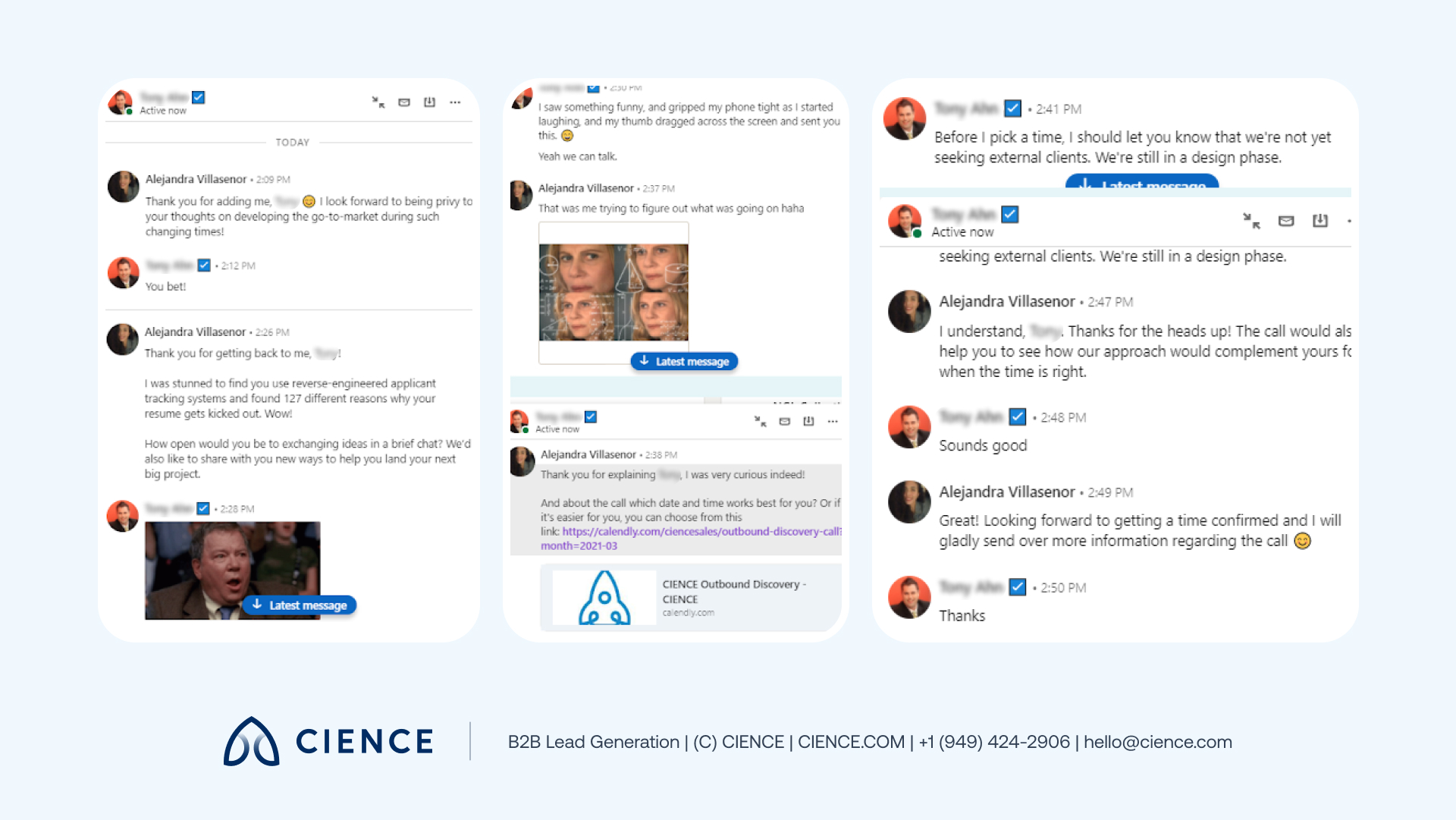
5. Build longer interactions with prospects.
The connect-build-persist sequence doesn’t mean sending exactly three messages and stopping. It’s a framework — introduction, building interest, persistent follow-up — that plays out across the full dialogue. Sometimes prospects respond in unexpected ways (like the example below, where a prospect sent a GIF). Your job is to bring the conversation back on track and use the moment in your favor.
6. Be present in the prospect’s feed.
To increase the chances of getting an answer to your message, constantly engage with the prospect on the platform: “Like” their posts, comment, share relevant content on your page, and tag them. Make the prospect familiar with who you are, build a relationship with them, and stop being just another anonymous LinkedIn connection they know nothing about.
7. Don’t miss a single chance to connect with the prospect.
In case all the messages you’ve sent were ignored, it’s still not the time to give up. CIENCE Messaging Specialist Mariana Esparza recommends keeping an eye on the prospects you are most interested in even after the three-wave interaction: “Every time I receive a notification on LinkedIn about a job promotion or anniversary of a prospect, it’s a perfect opportunity to send them a message and try to reach out again.” Use every additional opportunity to build the connection because persistence always pays off.
CIENCE has applied these LinkedIn prospecting methods across 2,500+ clients in 250+ industries — with a platform-rated 4.6/5 on Capterra.
Make LinkedIn Part of Your Outreach Campaign
LinkedIn is a high-leverage prospecting channel — but only when used with precision. The teams that get the best results combine LinkedIn with email, cold calls, and intent signals into a true multichannel outreach system. Explore how CIENCE builds multi-channel outbound pipelines →
If you want a team that runs this playbook for you, see how CIENCE’s outbound SDR service combines LinkedIn, email, and phone into one coordinated pipeline motion.
“They definitely supersede our internal capabilities.” — Candice Long, Marketing Director, Learning Ally
CIENCE + graph8 pricing: $5,000 one-time GTM system setup, $2,499/mo strategic execution, and the graph8 platform at $499/mo. No long-term contracts. See full pricing →
Whether or not you decide to work with us, you’ll walk away with a clear picture of where your pipeline is leaking and what it would take to fix it.
“12% reply rate — more effective than our account executives.” — Imagecraft client on CIENCE outreach results
Frequently Asked Questions
How many LinkedIn connection requests should I send per day?
LinkedIn recommends staying under 100 connection requests per week to avoid restrictions. Most successful SDRs send 20-30 targeted requests per day with personalized notes. Quality matters more than quantity — a well-researched connection request with a relevant reason to connect gets 3-5x higher acceptance rates than generic ones.
Is LinkedIn Sales Navigator worth it for B2B prospecting?
Yes, Sales Navigator is the most powerful LinkedIn prospecting tool available. It unlocks advanced filters (company size, seniority, industry, recent activity), removes the profile-viewing limit, and provides InMail credits for reaching prospects outside your network. For teams doing serious B2B outreach, the ROI typically justifies the $79-149/month investment.
What is the best time to send LinkedIn messages?
Research shows that LinkedIn messages sent Tuesday through Thursday between 8-10 AM in the prospect’s local time zone get the highest response rates. Avoid Mondays (inbox overload) and Fridays (weekend mindset). The key is to send your message when the prospect is most likely actively checking LinkedIn on their desktop.

A graph8 company — AI-powered GTM execution across 250+ B2B industries.
graph8 Platform
From $499/mo
Run your own GTM campaigns with AI-powered data, sequences, and analytics.
Start Free — 2,500 Credits No credit card requiredCIENCE Managed
From $2,499/mo
Our GTM teams build and run your outbound campaigns end-to-end.
15-min call · No commitment2,500+ B2B companies served · Month-to-month contracts · See full pricing →