
YouTube reaches over 2 billion monthly users — including B2B decision-makers who research solutions before contacting vendors. Optimizing your videos with keyword-rich titles, tags, custom thumbnails, and transcripts improves rankings in both YouTube and Google search. Pair these tactics with playlists and channel branding to build a content engine that drives awareness and converts viewers into qualified pipeline.
Last Refreshed: March 2026 with updated statistics and tool information.
YouTube SEO is the process of optimizing video titles, tags, thumbnails, and transcripts so B2B content ranks higher in both YouTube and Google search results, driving qualified traffic to your brand. YouTube has proven to be an indispensable platform in modern-day B2B marketing. Putting it simply, YouTube allows professional brands to increase their awareness and easily present unique selling points in a way that will resonate with company decision-makers. Through product demonstrations, explainer videos, and other creative B2B marketing videos, businesses get to position their brand not only as credible and effective but exciting as well.
From Thomas Cornelius, Founder & CEO, graph8: “B2B brands that treat YouTube as a search engine — not just a video host — consistently outperform those that don’t. The same keyword targeting discipline that drives Google rankings drives YouTube rankings. Most companies skip this step entirely and wonder why their content doesn’t generate pipeline.” But not every business gets the same return on marketing investment (ROMI) when it comes to marketing content on YouTube. Many companies overlook YouTube because they don’t know how to leverage content on the platform or the content they do upload underperforms according to their expectations.
As it happens with most other social platforms, you need optimized content to improve your chances of making a splash and getting the results you are after. So, in this piece, we’ll be covering the ins and outs of YouTube content optimization, giving you a basic blueprint to improve your results on the platform.
How B2B Companies Can Thrive Using YouTube
YouTube is used by almost one-third of the Internet’s total users. These users consist of companies looking to communicate their products and solutions, as well as company shot-callers interested in brands that can help them fulfill their business needs. YouTube serves as the perfect platform for connecting with potential clients, as it can satisfy two essential requirements that influence B2B buying behavior: concise information delivery and a strong sense of brand credibility.
When it comes to B2B marketing, highlighting product attributes efficiently is critical. Your target market consists of busy individuals who don’t always have the time or inclination to scrutinize large amounts of information at the drop of a hat. It is vital that businesses communicate the important details behind their products, and videos can do so without overwhelming potential leads.
Keyword Research on YouTube
One of the first marketing tools all digital marketers learn about is search engine optimization (SEO) and for good reasons! However, many of them fail to realize that YouTube is a search engine just like Google or Bing, and specific keywords for relative topics are used to rank and deliver video-based content.
As you read on, you’ll notice how important keywords are when optimizing videos hosted on YouTube. So, before you dive headfirst into the optimization process, creating a relevant-keyword bank is often a wise move. These consist of numerous short and long-tailed keywords that are relevant to your industry, products, and services. Where can you find these keywords? Research, research, research! There are many keyword generators online that can help you find relevant keywords in any number of ways, but the best keywords for YouTube can often be found on the platform itself.
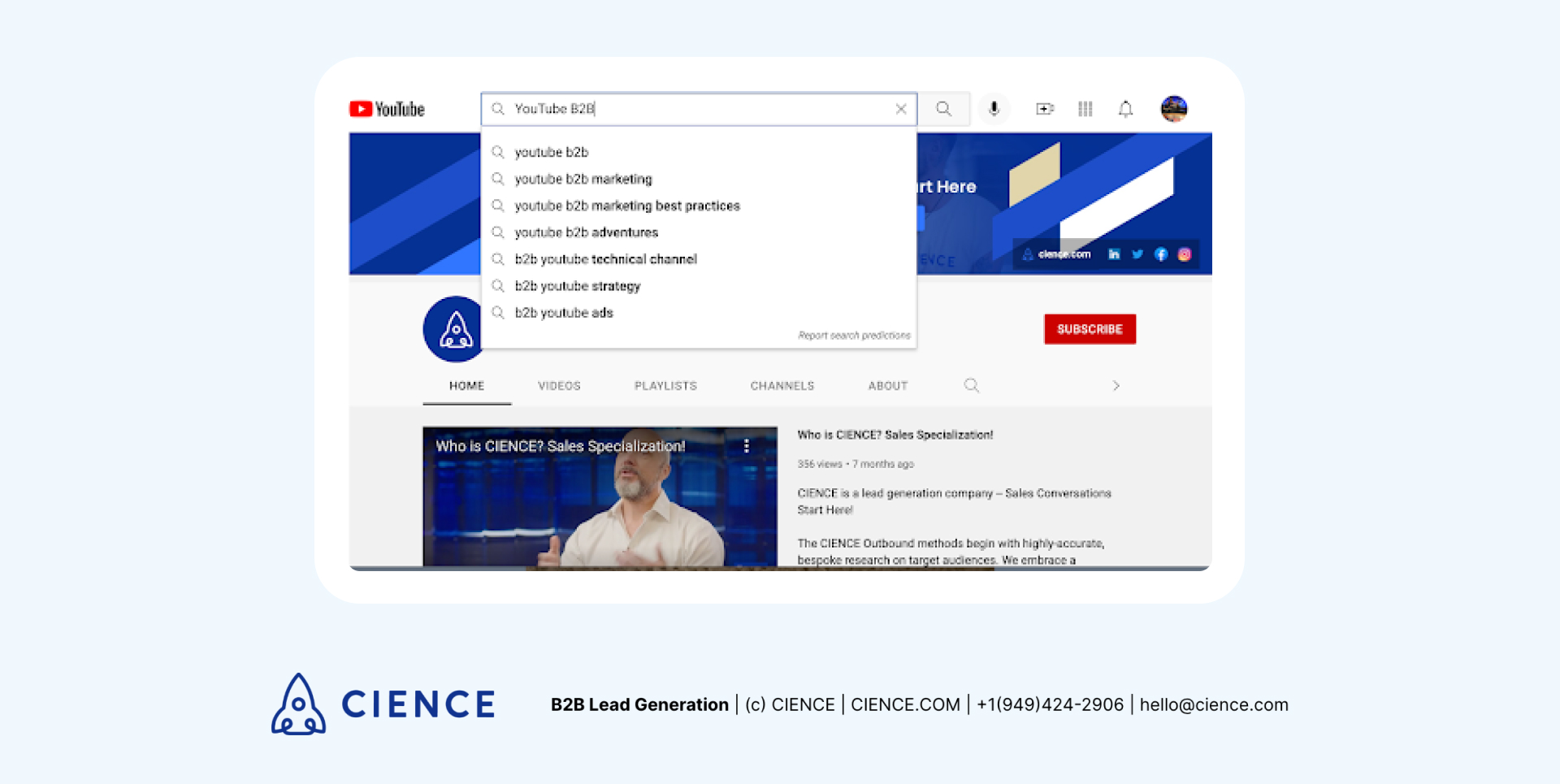
Ever noticed when you type in a search query on YouTube, an autocomplete function suggests different search queries? Those queries include the most used, word-for-word phrases that people are searching for relating to your search keywords. So, if you’re looking for a good starting point, the search bar is a great place to find trending keywords.
Moreover, when going through high-performing videos that your competitors are putting out, you can also easily see the keywords they’ve used. Simply open the YouTube video via a Firefox or Chrome tab. Right-click and select “View Page Source.” Click CTRL-F and type in “keywords.” You’ll be shown all of the tags and phrases used.
On-Page Optimization: Tags, Titles, Thumbnails & Transcripts
On-page optimization allows businesses to improve the ranking of their YouTube videos, as it increases the chances that one of them will be suggested when a user types in a relevant search query. So let’s look at optimization elements that can help you achieve this.
Tags
YouTube tags serve a similar function as keywords but in a more casual way. They are descriptive phrases that assist bots in understanding your video’s content, which can increase a video’s discoverability by helping it appear on relevant searches. When videos are tagged correctly, they become easier for algorithms to find and thus are more likely to rank highly on the YouTube search engine results page (SERP).
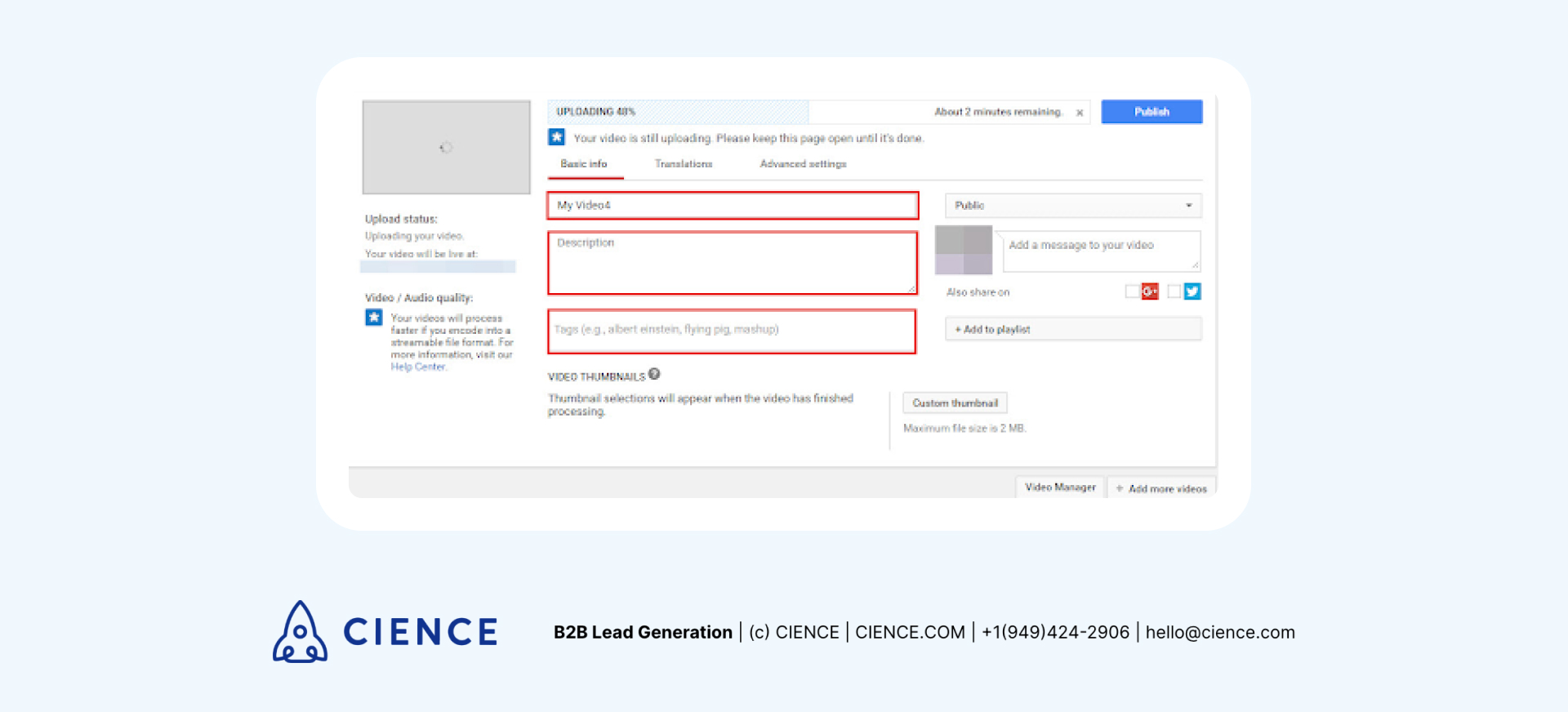
Tags can be added before uploading your video. Underneath the description box will be a designated textbox for them. It is recommended that you start by adding in a clear-cut keyword that summarizes your video’s purpose and then proceed to add others.
Titles
Great video titles contain your target keywords while also being catchy enough to draw your target audience’s attention. Hence, a snappy title will assist with increasing the number of views a video receives, another factor that determines its ranking. But why stop there?
Go the extra mile and include a few keywords within your video’s description as well. This will increase the likelihood of videos showing up under the “suggested videos” tab.
Thumbnails
We’ve mentioned that views assist with ranking, so of course, having a unique, eye-catching thumbnail is an absolute must.
Thumbnails leave lots of room for creative expression and allow brands to stand out. High-performing marketing videos make use of thumbnails with human faces/reactions in them to look more intriguing and approachable. Pairing this with exciting text can be a game-changer for attracting clicks. Businesses can also incorporate brand elements like colors, fonts, and logos into their thumbnails for a more professional look.
Transcripts
When transcribing the content discussed in your video, you’ll notice that it’s jam-packed with industry keywords. When adding a transcript to your video, YouTube algorithms can use it to help your video appear for relevant search queries.
Transcript files can and should also be uploaded along with your videos so that YouTube can automatically turn them into closed captions. This increases video engagement and is perfect for viewers who want to watch your video without causing any disruptions.
Ranking is only half the equation. If your content attracts traffic but doesn’t convert, you’re building a library, not a pipeline.

Which YouTube Videos Perform Best?
Now would be a good time to clear up a common industry misconception. B2B marketing does not mean dry marketing. When it comes to any form of marketing on YouTube, it is essential that you use engaging videos that will inspire your prospects and prevent click-offs. Regardless of your video’s format, it has to feature quality content worth engaging with to improve its ranking and discoverability. A few great video ideas for B2B companies include:
- Video blogs
- Product videos
- Explainer videos
- Tutorial videos
- Video interviews
- Influencer marketing videos
- Testimonials and case studies
- Event coverage videos
When it comes to getting the most out of your videos to promote higher viewer retention, technical information should be presented at an appropriate pace, in conjunction with great visuals and an exciting tone and voice. Check out how CIENCE utilizes YouTube as a secondary platform for its weekly Enterprise Sales Development podcasts:
“After partnering with CIENCE, Hirebook quadrupled organic traffic — proof that a disciplined, data-driven approach to B2B content reaches the right decision-makers at scale.” — Hirebook
What Makes the Perfect B2B YouTube Video?
The first few words can either make or break a video. Every video needs the right hook at the beginning to capture viewers and give them a reason to stay till the end. If a viewer finds your video’s introduction boring or low effort, it can result in an instant click-off. Get straight to the point by identifying industry needs that your product/service satisfies and then convey them in innovative and unique ways in your content. After all, the quicker leads are informed about and satisfied with a product, the quicker they’ll end up as a potential customer.
A common question asked would be the ideal length for a YouTube video. This mostly depends on the type of video you plan on using. Vlogs (blog in video form) and case studies tend to be long since they discuss various topics and opinions. On the other hand, explainers and tutorials aim to inform audiences within a short time frame.
B2B marketers should not focus on the perfect video length but on whether the content within the video is interesting enough to keep viewers engaged throughout. Check out how this explainer video precisely explains the inbound marketing process in a highly creative way:
One asset all professional brands should include at the end of their videos is a compelling call to action. This is to prompt potential high-quality leads to pursue your services and inform them as to how and where they can reach your brand. Adding a simple banner at the end that includes details like website and email addresses can function as a useful tool to redirect traffic to your website.
Additional YouTube Optimization
Creating playlists and adding branded elements to your videos can further optimize your channel so that it can perform better and grow its subscriber base. Let’s understand how.
Playlists
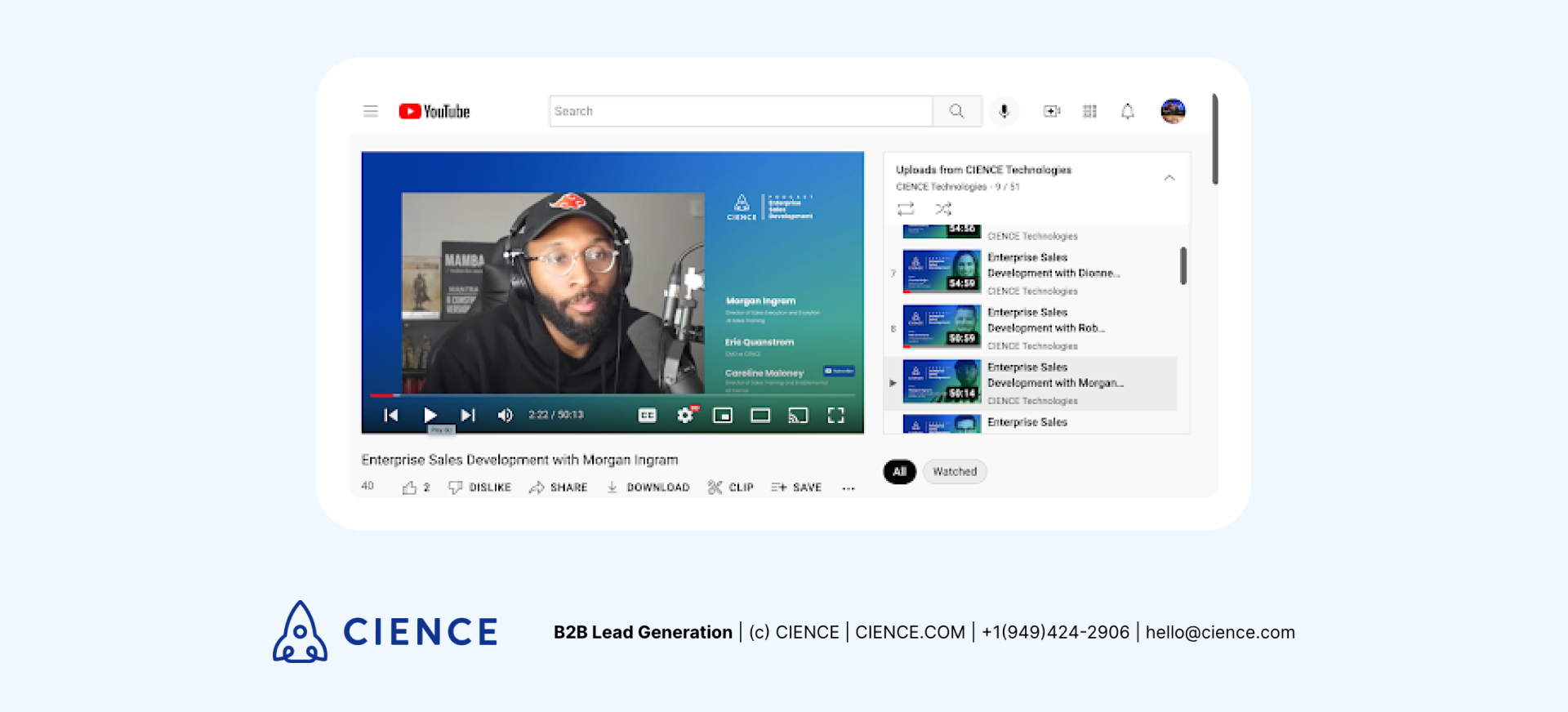
Playlists not only provide structure and order for your channel, but they can help your videos rank higher in two ways. Firstly, putting together a playlist prolongs a viewer’s watch time (and their engagement) as videos automatically play one after the other. Also, a playlist functions as an accumulation of relevant keywords that can help algorithms suggest your videos more easily.
Channel branding
Branded content is essential for B2B marketing as it helps position brands as more professional. This can be done by including a watermark logo within your video or by going a step further and creating a personalized channel trailer. These are short eight- to ten-second videos that introduce new audiences to your brand and improve the overall viewer experience on your YouTube channel.
Optimize the Power of YouTube Videos
Optimizing videos for YouTube sounds a lot trickier than it actually is once you know what you are doing. Through the strategic placement of relevant keywords throughout video assets, businesses can reach their target audiences much more easily. By pairing these optimized assets with quality content that will keep viewers engaged and informed, B2B marketers can use YouTube as a valuable platform for brand awareness and moving leads down their sales funnel.
CIENCE has helped 2,500+ B2B companies across 250+ industries build systematic pipeline — combining content strategy, outbound, and intent data to reach the right decision-makers at the right time. Rated 4.6/5 on Capterra.
“Thanks to CIENCE, we’ve seen a 500% monthly increase in new sales appointments.” — Bryce Garoutte, Sr. VP of Business Dev & Marketing, Silicon Valley Insight
CIENCE + graph8 pricing: $5,000 one-time GTM system setup, $2,499/mo strategic execution, and the graph8 platform at $499/mo. No long-term contracts. See full pricing →
Whether or not you decide to work with us, you’ll walk away with a clear picture of where your pipeline is leaking and what it would take to fix it.
Frequently Asked Questions
How do you find the best keywords for YouTube SEO?
Use YouTube’s autocomplete feature by typing a seed keyword into the search bar and noting the suggested queries — these reflect actual search demand. You can also view a competitor’s video page source (CTRL-F for “keywords”) to see their tags. Combine these with tools like Google Trends or TubeBuddy for volume estimates.
What is the ideal length for a B2B YouTube video?
There is no single ideal length — it depends on format. Explainer videos perform best at 2-5 minutes, while case studies and webinars can run 15-30 minutes. The key metric is audience retention rate, not duration; focus on keeping viewers engaged throughout rather than hitting a specific time target.
Do YouTube transcripts really help SEO?
Yes. Transcripts give YouTube’s algorithm text-based content to crawl, which significantly improves your video’s discoverability for relevant search queries. They also enable closed captions, which boost engagement by making videos accessible to viewers who watch without sound — a common behavior in workplace environments.

A graph8 company — AI-powered GTM execution across 250+ B2B industries.
graph8 Platform
From $499/mo
Run your own GTM campaigns with AI-powered data, sequences, and analytics.
Start Free — 2,500 Credits No credit card requiredCIENCE Managed
From $2,499/mo
Our GTM teams build and run your outbound campaigns end-to-end.
15-min call · No commitment2,500+ B2B companies served · Month-to-month contracts · See full pricing →